Your Source Code
Clear repository handover
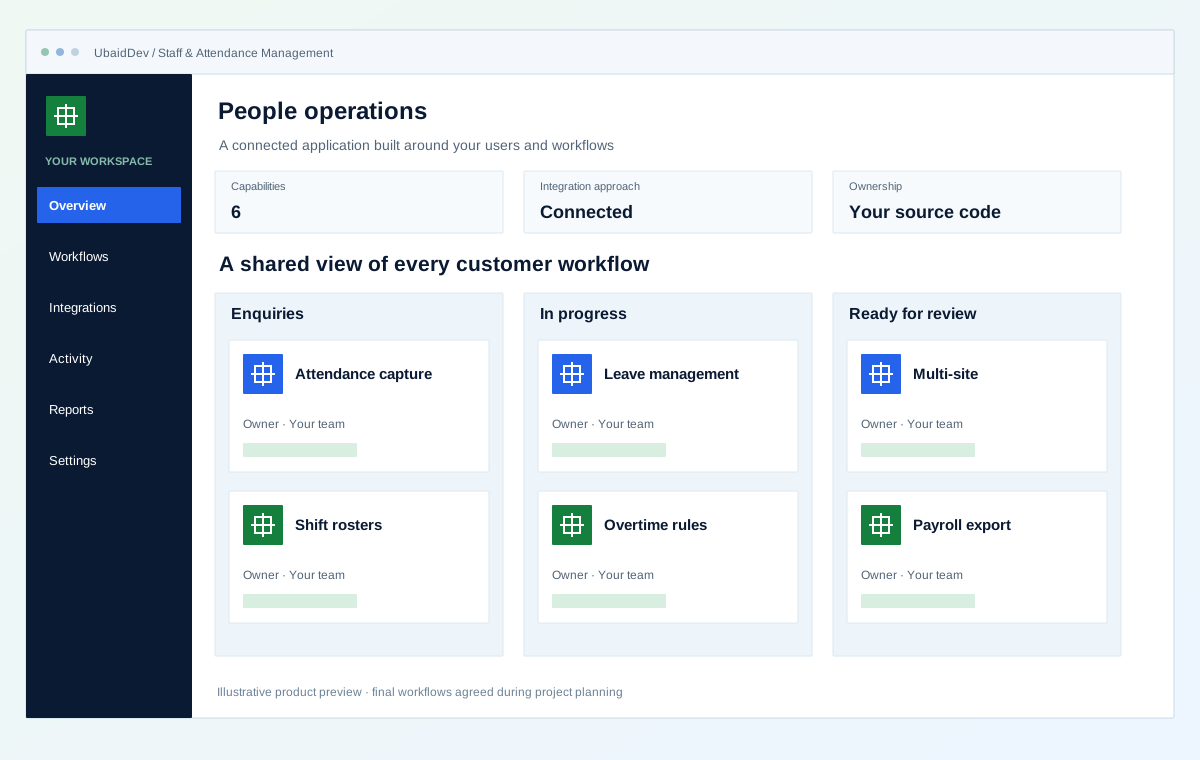
Give managers a shared view of shifts, attendance and leave requests. Build workforce workflows with role permissions, approval history and payroll exports.
Clear repository handover
Integrations scoped to your tools
Validate each delivery phase
Documentation and onboarding
Define the result you need from staff & attendance management, then review it against real workflows.
Attendance, leave and overtime arrive as one payroll-ready export instead of three spreadsheets reconciled by hand.
The rule lives in the system rather than in each supervisor's head, which removes both the disputes and the quiet overpayment.
Accrual, carry-forward and approval in one place, visible to the employee. Most leave disputes are a record-keeping problem.
Understaffed shifts and unusual overtime show up on a roster view while there is still time to act.
Choose the capabilities that fit your first release and the way your business works.
Mobile check-in with geofence, web, or import from an existing biometric device.
Rotating shifts, swaps and coverage warnings for understaffed slots.
Accrual, carry-forward, approval chain and employee-visible balances.
Your thresholds and rates, applied consistently and shown on the payslip data.
Staff working across locations, reported per site and consolidated.
A single export in the format your payroll provider expects.
Interactive operational simulation for staff & attendance management. Walk through the operational stages to inspect data contracts, user actions, and backend verification hooks before kickoff.
Illustrative screens and sample measurements. These are not live results or performance guarantees.
Stage 1 of 3 · Schedule
Mobile check-in with geofence, web, or import from an existing biometric device.
Rotating shifts, swaps and coverage warnings for understaffed slots.
Accrual, carry-forward, approval chain and employee-visible balances.
Agree on the workflows, review points and release checks before implementation begins.
Roles, authentication and data handling follow the agreed application scope.
Your repository and technical documentation are part of the delivery plan.
Review realistic scenarios, integrations and recovery paths before launch.
Validate the work in planned phases with clear owners and acceptance criteria.
Review the current problems and the people who need the system before selecting features.
Define how shifts, attendance, leave and approvals work in your organisation before building the interface. Different locations may have different operating rules. Make exceptions visible so a manager can correct missing information without losing the history of the original record.
A team member may swap a shift after leave has already been approved. The system should show the resulting coverage, record who approved the change and keep the information needed by the payroll process.
Test ordinary and exceptional schedules with representative roles. Review access to employee information, correction history and the handover between attendance and payroll.
Give the team a shared employee record and the priority attendance, shift or leave workflow. Agree on approval roles, correction handling and the information needed for the initial export.
Additional locations, more complex scheduling and payroll connections can follow once the basic process and responsibilities are understood.
A transparent process with decisions and handover planned at each stage.
Shifts, overtime thresholds, leave accrual and every exception you handle today.
Attendance and roster first, since that is where the daily pain is.
One full cycle alongside your current process, and we compare the two outputs.
Only after the parallel run matches. Payroll is not something to cut over on faith.
Select the stack and connections around your environment, data and delivery requirements.
Confirm the final deliverables and ownership terms in the project scope.
Source code and schema, owned by you
Attendance rules documented as configuration, not buried in code
Payroll export verified against one month you have already run
Audit trail on every attendance and leave change
Employee self-service view of their own balances
Training for supervisors and for HR separately
See how a business requirement becomes a practical system, with a clear scope and checks your team can review.
Distribution & multi-location operations
One order. A connected operational journey.
Fictional scenario name · Proposed implementation · Concept artwork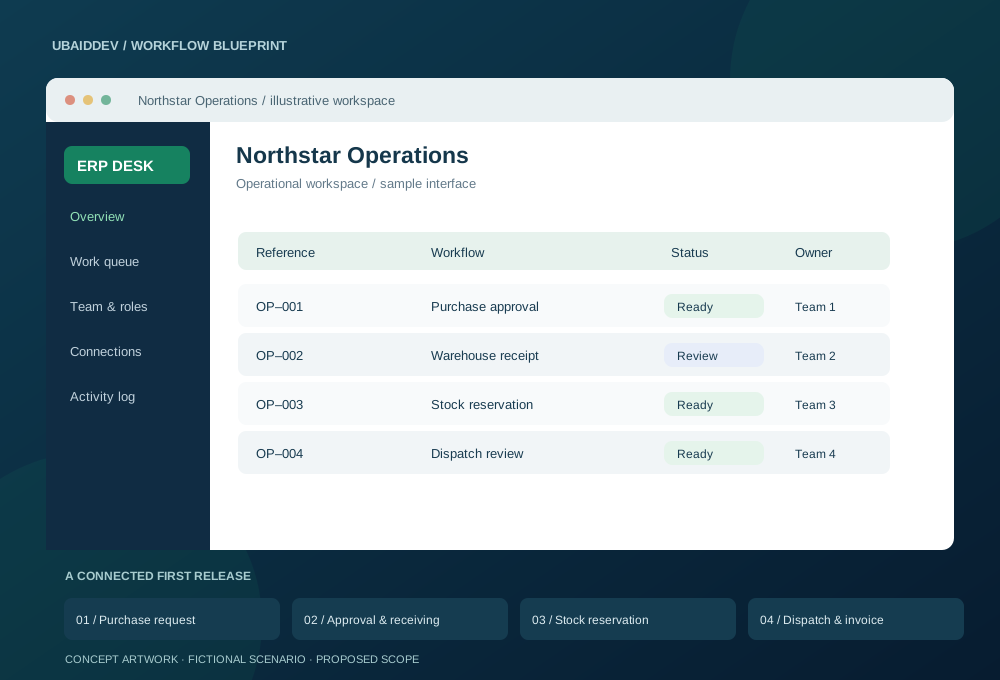
A growing distributor manages purchasing, warehouse stock and invoices in separate spreadsheets. Teams need to know what is available, who approved a purchase and which orders are ready to ship.
Use a transactional stock ledger, approval thresholds and idempotent accounting connectors. Import opening balances into a staging environment and reconcile them before cutover.
Track stock discrepancies, order-to-dispatch time and manual reconciliation hours against the pre-launch baseline.
Targets, baseline, timeline and commercial scope are agreed during discovery.
Agree working-hour overlap, written English updates, staging reviews, migration responsibilities and support scope. Confirm repository access, deployment documentation and ownership terms before work begins.
Choose a delivery tier, functional modules, integrations, and timeline to see an indicative range before discovery.
Explore the range without sharing your email. We confirm the final scope and price after reviewing your requirements.
Count a complete task, such as booking, invoicing or approving a request, as one workflow.
These selections travel with your brief. The range below is calculated from the tier, workflow count, connected systems and delivery pace.
This planning range uses the selected scope inputs. Final deliverables, exclusions, and milestone prices are confirmed in writing.
This does not place an order. We review the configuration and reply with the confirmed scope and milestone proposal.
Answers about scope, integrations, delivery and ownership.
Usually. Most devices export logs or expose an API, and we import from that rather than replacing hardware you have already paid for. We confirm your specific model during scoping.
It produces payroll-ready data — attendance, approved leave, overtime — in the format your payroll provider expects. Statutory calculation and filing stay with your provider or accountant, which is where the liability belongs.
Yes, with an optional geofence so check-in only registers inside the site. Photo capture on check-in is available where you need it, and we will tell you where that is likely to create a consent issue.
No. Check-in and check-out register a location at that moment; there is no continuous tracking. We decline that scope — it is a consent and trust problem, not a feature.
Share your requirements and get a clear scope, delivery plan and quote.