Your Source Code
Clear repository handover
Equip field technicians with offline-first mobile applications for job dispatch, digital inspection checklists, photo evidence and customer sign-offs.
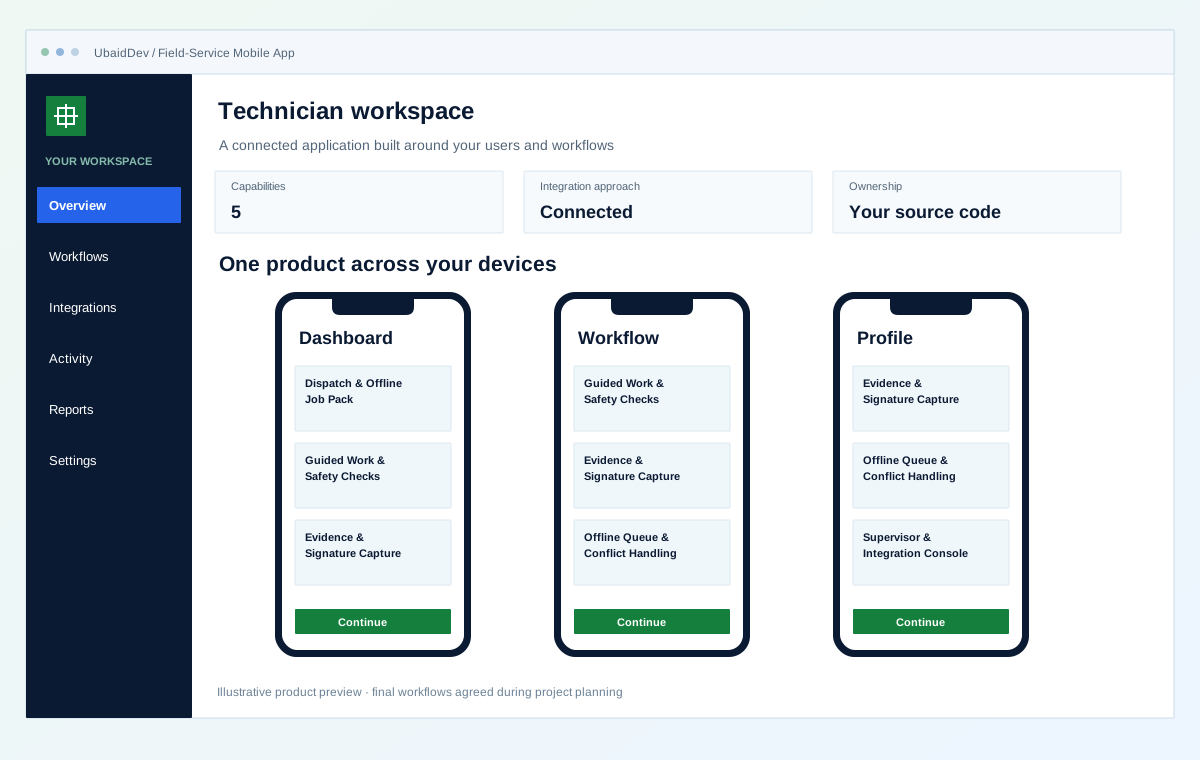
Clear repository handover
Integrations scoped to your tools
Validate each delivery phase
Documentation and onboarding
Define the result you need from field-service mobile app, then review it against real workflows.
Make assigned job context and required capture available before and during connectivity loss.
Capture structured notes, readings, media, and signatures against required work-order steps.
Distinguish queued, confirmed, failed, and conflicting updates for technician and supervisor review.
Choose the capabilities that fit your first release and the way your business works.
Download assigned jobs, customer-approved context, asset history, instructions, and required forms.
Present configurable job steps, validation, readings, notes, and required safety acknowledgements.
Attach photos, files, readings, location context, and signatures to the correct work-order step.
Queue changes locally, retry safely after reconnect, and surface conflicts for review rather than overwriting state.
Review dispatch, job state, sync failures, evidence completeness, parts use, and approved downstream updates.
Interactive operational simulation for field-service mobile app. Walk through the operational stages to inspect data contracts, user actions, and backend verification hooks before kickoff.
Illustrative screens and sample measurements. These are not live results or performance guarantees.
Download assigned jobs, customer-approved context, asset history, instructions, and required forms.
Stage 1 of 3 · Assign
Download assigned jobs, customer-approved context, asset history, instructions, and required forms.
Present configurable job steps, validation, readings, notes, and required safety acknowledgements.
Attach photos, files, readings, location context, and signatures to the correct work-order step.
Agree on the workflows, review points and release checks before implementation begins.
Roles, authentication and data handling follow the agreed application scope.
Your repository and technical documentation are part of the delivery plan.
Review realistic scenarios, integrations and recovery paths before launch.
Validate the work in planned phases with clear owners and acceptance criteria.
Review the current problems and the people who need the system before selecting features.
Equip field technicians with offline-first mobile applications for job dispatch, digital inspection checklists, photo evidence and customer sign-offs.
Illustrative operating states. Current measurements and acceptance criteria are confirmed during discovery.
These rows are conversation aids, not measured client results. We replace them with your current baseline, desired state, owner, and acceptance test before implementation begins.
During discovery, each row receives a current measurement, target, data owner, test method, and sign-off condition. Until then it remains illustrative scope.
Instructions and asset context arrive through calls, messages, or paper
The assigned job pack is available on the device before travel or connectivity loss
Photos and notes are matched to work orders after the visit
Required evidence is captured against the correct job step as work happens
Operators cannot tell whether a weak connection lost or duplicated an update
Queued, confirmed, failed, and conflicting actions remain explicit for review
A transparent process with decisions and handover planned at each stage.
Map roles, job states, offline periods, evidence, devices, privacy, integrations, and exception ownership.
DiscoveryReview assignment, offline job, checklist, evidence, signature, reconnect, and escalation journeys.
PrototypeImplement the selected mobile client, local store, sync contracts, dispatch console, integrations, and observability.
BuildTest offline, reconnect, conflict, permission, device, and evidence scenarios before staged team rollout.
LaunchSelect the stack and connections around your environment, data and delivery requirements.
Confirm the final deliverables and ownership terms in the project scope.
Field role, job-state, evidence, offline, and privacy map
Cross-platform technician application and supervisor dispatch console
Offline data store, synchronization engine, and approved system adapters
Device test matrix, field acceptance scenarios, release, and support runbooks
See how a business requirement becomes a practical system, with a clear scope and checks your team can review.
Mobile & field operations
Keep field work moving between connections.
Fictional scenario name · Proposed implementation · Concept artwork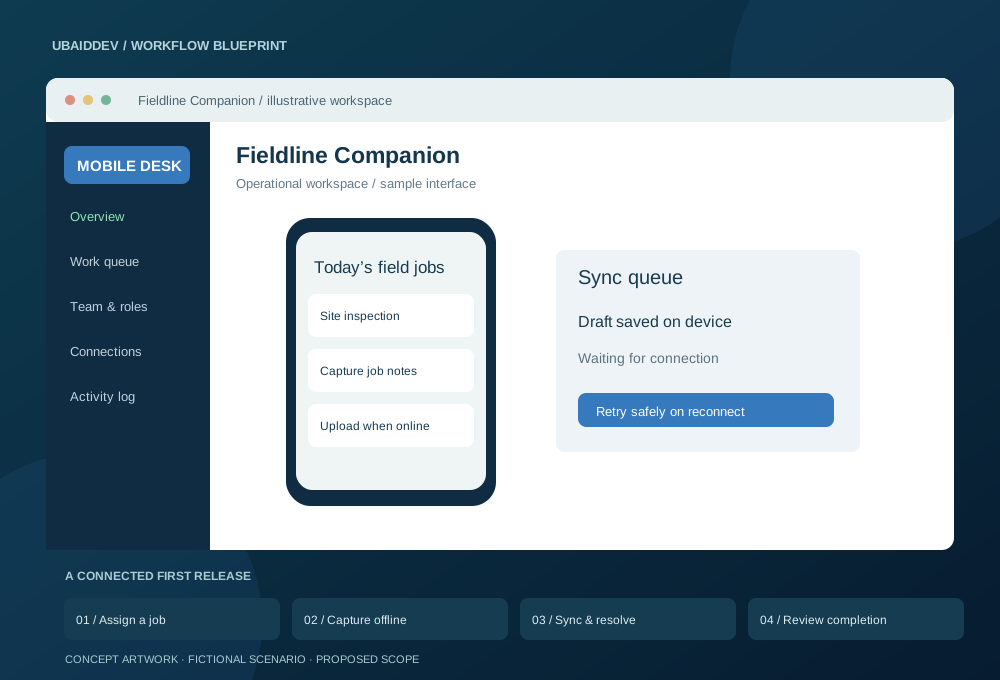
Field staff need to record job updates on phones with unreliable connectivity. Supervisors need a dependable history rather than a collection of chat messages and photos.
Queue writes locally and use conflict policies when reconnecting. Upload media with resumable or bounded retry behaviour, protect local data and document app-store publishing responsibilities.
Track failed syncs, job completion time and the percentage of reports requiring correction.
Targets, baseline, timeline and commercial scope are agreed during discovery.
Agree working-hour overlap, written English updates, staging reviews, migration responsibilities and support scope. Confirm repository access, deployment documentation and ownership terms before work begins.
Choose a delivery tier, functional modules, integrations, and timeline to see an indicative range before discovery.
Explore the range without sharing your email. We confirm the final scope and price after reviewing your requirements.
Count a complete task, such as booking, invoicing or approving a request, as one workflow.
These selections travel with your brief. The range below is calculated from the tier, workflow count, connected systems and delivery pace.
This planning range uses the selected scope inputs. Final deliverables, exclusions, and milestone prices are confirmed in writing.
This does not place an order. We review the configuration and reply with the confirmed scope and milestone proposal.
Answers about scope, integrations, delivery and ownership.
The selected job pack, forms, and capture workflows can use a local data store. Actions remain queued on the device and synchronize through idempotent APIs after connectivity returns.
Conflict rules are defined by record and action. Safe merges may be automatic, while reassignment, completion, parts, or evidence conflicts can be surfaced to a technician or supervisor instead of being silently overwritten.
Yes. Required capture is configured by job type and step, with file, device, timestamp, and optional location metadata governed by the agreed privacy and retention policy.
Share your requirements and get a clear scope, delivery plan and quote.